Solitaire Collection
Mongoose Net Ltd.Card
4.52.26K Reviews
- Version
- 1.80.1
- Installs
- 10.00M
- Age Rating
- Everyone
Screenshots
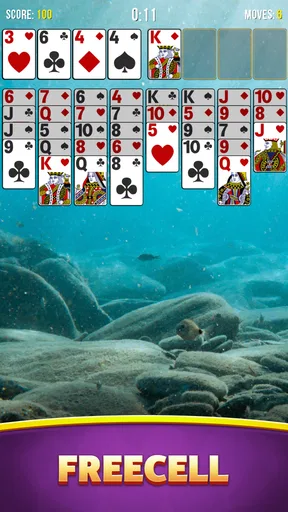
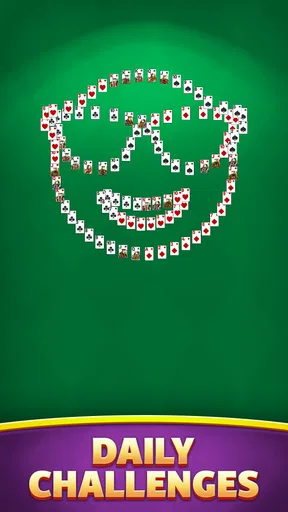
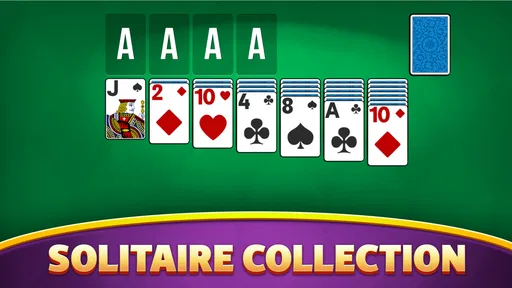
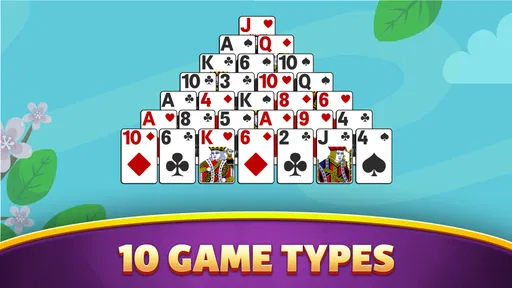
Our Review of Solitaire Collection
 Analysis by Appyee
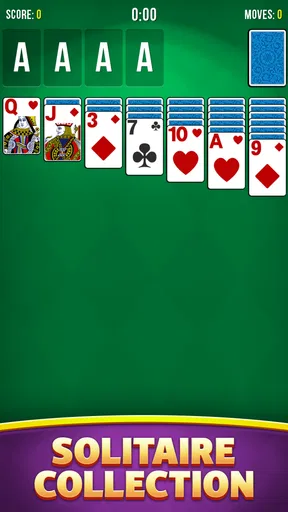
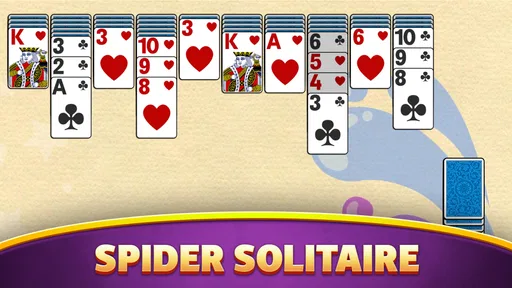
I have always liked card games that fit into the gaps of an ordinary day, and Solitaire Collection is built very much around that habit. It is a free card game for Android, developed by Mongoose Net Ltd., with a broad selection of familiar solitaire formats rather than one single rule set. That variety is its main appeal: when a standard solitaire deal starts to feel repetitive, I can switch to Spider, FreeCell, Pyramid, TriPeaks, or another included format without installing a second game.
After spending time with it, my impression is that this is best understood as a practical collection for short, low-pressure sessions. It does not need a large time commitment, a group of friends, or a complicated tutorial. I can open it while waiting for an appointment, play a few hands during a break, and leave without feeling that I have abandoned a long campaign. At the same time, the different rule systems give experienced card players enough room to look for better decisions instead of simply tapping through identical rounds.
The game is free to download and suitable for Everyone, which makes it an easy recommendation for households that want a straightforward card app. Its average rating is 4.5 from around seventy-three thousand ratings, and it has passed ten million installs, so it has clearly found a sizeable audience. The current version is 1.80.1, and it runs on Android 7.1 or later. Those details matter if you are using an older phone or tablet, because this is one of the more accessible ways to keep several classic solitaire styles in one place.
How the collection turns simple card games into a longer routine
I find that the collection’s longer-term appeal comes less from chasing milestones and more from building a small routine around different kinds of attention. I can decide in advance which format suits a quick pause and which deserves a quieter stretch, so choosing a game becomes part of managing the session rather than just browsing. That household rhythm also makes it useful to think about who is using the device and how each person prefers to play.
Early goals are simple, but the variety gives them meaning
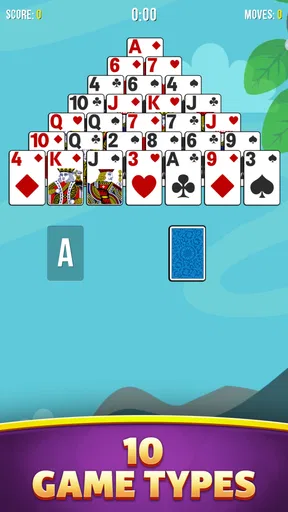
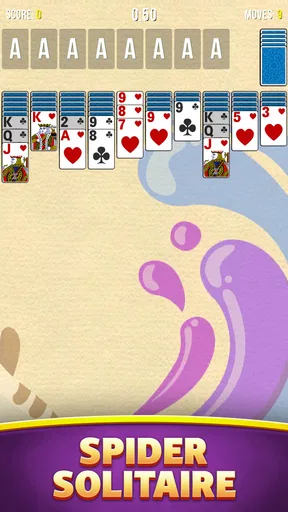
The first goal is obvious: complete a deal. That sounds modest, yet it works because each game asks me to think in a different way. Traditional Solitaire is familiar and easy to understand, while Spider puts more emphasis on building sequences and managing blocked cards. FreeCell rewards planning because visible cards make the consequences of an early move easier to judge. Pyramid and TriPeaks create a different rhythm, with the focus shifting toward clearing combinations and finding a route through the layout.
This opening variety is more important than it may seem. In a single-format solitaire app, the early objective can become automatic after a few sessions. Here, changing games resets the mental challenge without forcing me to learn an entirely new type of app. I can use a familiar format when I want to relax, then move to a more demanding one when I feel like concentrating. That makes the collection feel broader than its simple presentation suggests.
I also appreciate that the goals are immediate. There is no need to understand a large progression tree before playing. I can choose a mode, look at the cards, and begin making decisions. For a casual player, that quick start is a strength. For someone who wants a deep competitive structure, however, the simplicity may feel limiting. This is a game about improving individual play and enjoying different variants, not about building a character, managing a deck, or pursuing a story.
A useful way to approach the collection is to give each format a different purpose. I use the most familiar layout when I want a quiet few minutes, a more open-information format when I want to plan carefully, and the faster-clearing styles when I want a session with more momentum. That small habit prevents me from judging the entire app by one mode. It also makes the included selection feel like a toolkit rather than a pile of similar games.
Progress is felt through decisions more than visible rewards
The strongest progress signal here is personal. I notice that I am spotting useful moves earlier, avoiding premature empty spaces, and recognizing when a tempting card transfer will create a worse position later. In FreeCell, for example, the open information encourages me to think several moves ahead. In Spider, I become more careful about preserving flexibility instead of immediately completing a sequence. These are quiet improvements, but they are satisfying because they come from understanding the rules rather than collecting arbitrary prizes.
That approach suits solitaire particularly well. The cards themselves provide feedback: a blocked column opens, a useful sequence becomes available, or a previously awkward layout suddenly becomes manageable. Each successful decision changes the board in a visible way. I do not need a long explanation to know whether my plan worked. The game state tells me immediately.
There is a trade-off, though. Players who expect explicit unlocks, badges, missions, or a strong account-based progression system may not find the same sense of advancement here. The collection’s appeal comes from replaying and mastering the formats, not from steadily opening a large catalogue of content. I would not choose it primarily for reward chasing. I would choose it because the basic card puzzles remain enjoyable when I want something repeatable and easy to resume.
One practical tip is to treat a losing deal as information rather than a wasted attempt. Before restarting, I look at the move that created the problem. Did I expose a card too early? Did I use a free space without a clear purpose? Did I clear a sequence that would have been more useful left intact? This turns short sessions into small lessons and gives the app more staying power than simply pressing for another random hand.
The difficulty curve depends on which game I choose
There is no single difficulty curve because the collection moves between several kinds of solitaire. The familiar game is approachable for a first session, while Spider can demand more patience because a tidy-looking move may reduce future options. FreeCell often feels more analytical, since the visible layout invites deliberate planning. Pyramid and TriPeaks can feel lighter and quicker, but their pace can also make a poor choice harder to recover from.
This range is helpful when my attention changes during the day. If I am tired, I prefer a format where I can make progress without holding a complicated plan in my head. If I am alert, I choose a mode that makes me consider empty spaces, sequence order, and the timing of a reveal. The collection therefore creates its own difficulty control: instead of adjusting a formal setting, I select a game that matches my mood and patience.
That design also exposes one of the app’s limitations. A player who wants a carefully staged tutorial from beginner to expert may need to teach themselves through repetition. The collection gives access to different rule sets, but the real learning curve comes from playing them and noticing patterns. I think that is acceptable for people who already know solitaire, while complete newcomers may need a little patience before the differences between the formats become natural.
My advice is to avoid starting with the most demanding format and then deciding that the whole app is too hard. Spend a few rounds with the classic style first, then try FreeCell for planning and Spider for sequence management. This order makes the change in difficulty easier to understand. It also reveals which kind of challenge you actually enjoy: probability and timing, open-information planning, or careful construction.
Pacing works especially well for interrupted play
The pacing is one of the collection’s most practical strengths. A hand can provide a complete little activity without requiring the commitment of a long game. I can play one round while waiting for food, stop when my name is called, and return later for another format. That makes it more convenient than many puzzle games that expect a fixed run or a continuous chain of levels.
A realistic everyday use is a commute with several interruptions. I might begin a classic deal, pause when I need to get off a bus, and later choose TriPeaks when I have only a short window. The collection supports that change in mood better than a single-mode app because I am not locked into one kind of concentration. It works as a small mental break rather than an activity that takes over the day.
The same pacing can feel uneven if you want a strong sense of escalation. Some sessions are calm and thoughtful, while others end quickly or become frustrating because the layout leaves few useful options. That is part of solitaire’s nature, but it means the app is not ideal for someone seeking a tightly controlled sequence of increasingly dramatic levels. Its rhythm is closer to browsing a shelf of card games than following a campaign.
I also find that switching formats is a better way to manage frustration than repeatedly forcing the same deal. If Spider begins to feel like a wall, moving to FreeCell changes the mental task without abandoning the app. If I want something less analytical, a quicker format gives me a reset. This is a more useful form of pacing control than simply taking a break, because it preserves the relaxed card-game atmosphere while reducing repetition.
Retention comes from habit, not pressure
Solitaire Collection encourages return visits through convenience and variety rather than a heavy sense of obligation. The app is free, and optional in-app purchases range from ninety-nine cents to twelve dollars and ninety-nine cents per item. That is worth keeping in mind if you prefer a completely purchase-free experience. I would approach the game as a free collection first and decide for myself whether any optional purchase adds enough value to justify it, rather than treating spending as part of normal play.
The absence of a complicated commitment is a positive for me. I can leave the game for days and come back without needing to remember a story, maintain a streak, or rebuild a strategy around a changing event. The basic loop remains understandable: choose a card game, play a deal, and try to make better decisions next time. That makes the app particularly suitable for people who want a dependable time filler instead of a demanding daily routine.
On the other hand, this light retention model may not satisfy players who need constant new objectives. If your ideal mobile game includes frequent missions, competitive rankings, collectible items, or a large unlock path, this collection may feel too quiet. Its replay value depends on whether you enjoy the act of solving and improving. I think that is a healthier fit for casual play, but it is not the same kind of motivation as a reward-driven game.
Another trade-off is that a broad selection can become a reason to sample rather than settle. I sometimes move between formats without developing real skill in any one of them. The solution is to choose a personal rotation: one comfortable game, one strategic game, and one quick game. Playing each for several sessions makes improvement easier to notice and prevents the collection from turning into aimless menu browsing.
Small habits make the strategic formats more rewarding
The best way to get more from the app is to slow down before making the attractive move. In visible-information games, I try to identify which card is actually blocking progress rather than simply moving the card that can move immediately. A legal move is not always a useful move. Preserving an empty space, exposing a hidden card at the right time, or keeping a sequence flexible can matter more than making the board look tidy.
In Spider, I pay attention to whether a move creates a clean continuation or merely shifts the problem to another column. In FreeCell, I treat open spaces as temporary working areas instead of permanent storage. In Pyramid and TriPeaks, I look for combinations that reveal the next useful card rather than clearing the easiest pair automatically. These small differences give the formats their own personalities and are the reason I do not see the collection as ten copies of the same experience.
Another useful workflow is to use the quicker modes as a warm-up. A short session helps me get into the habit of scanning the layout before choosing a move. I then switch to a more demanding format when I have enough time to think. This is especially helpful on a phone, where a small screen and a rushed tap can make a careful plan feel harder than it should.
I would also recommend keeping expectations realistic about luck. Good decisions improve a deal, but they do not make every layout winnable. When a round collapses, I do not automatically treat that as evidence that the app is unfair. I replay only when I can identify a different plan; otherwise, I change formats. That keeps the experience from becoming a cycle of frustration and gives the collection a more sustainable pace.
Who should install it, and who should look elsewhere
I think this is a strong fit for someone who wants several recognizable solitaire games in one free app, especially if short sessions and simple controls matter more than a large progression system. It is also a good choice for a player who already knows the basics and wants to compare different styles without filling a device with separate downloads. The Everyone rating makes it approachable for a broad audience, and the older Android requirement helps it remain relevant on devices that are not running the newest software.
I would be more cautious about recommending it to someone who wants a rich competitive community, a story-led card adventure, or a carefully structured reward journey. The collection’s challenge is mostly self-directed. You return because you enjoy the layouts, the decisions, and the chance to play a different variant, not because a narrative keeps pulling you forward. Players who need constant novelty may eventually find the card formats familiar, even with the variety.
Compared with a single classic Solitaire app, this collection offers more flexibility and a better way to escape repetition. Compared with a highly gamified card title, it is calmer and less demanding, but also less likely to provide dramatic long-term goals. Compared with playing physical cards, it is faster to set up and easier to use alone, though it naturally lacks the social element of sitting across from another person. Those differences make the choice fairly clear: install it for convenience and variety, not for a full tabletop simulation or a competitive live-service experience.
My verdict on the collection’s progression and staying power
Solitaire Collection succeeds because it understands that these games do not need an elaborate story to hold attention. Its early goals are immediate, its progress is visible in better decisions, and its difficulty can be adjusted by moving between formats. The pacing is particularly well suited to interrupted days, while the long-term appeal depends on whether you enjoy refining your play rather than unlocking a constant stream of rewards.
The main friction is equally clear: the experience may feel understated for players who expect strong progression signals, and the different formats require self-guided learning. Optional purchases are present, so anyone who wants a strictly no-spend environment should keep that in mind. Still, those limitations do not undermine the central idea. The app provides a broad, accessible card routine that I can pick up quickly and leave without pressure.
For me, the most convincing reason to recommend it is the way one installation covers several moods. I can play a familiar hand when I want comfort, choose FreeCell when I want to plan, or move to Spider when I want a more demanding puzzle. That flexibility gives the collection more staying power than a single-format alternative, even though it does not offer the dramatic unlock structure of a more heavily designed game.
My final recommendation is simple: if you want a free, approachable card collection for thoughtful breaks and repeatable solo play, Solitaire Collection is worth trying. I would skip it only if your priority is competitive multiplayer, a story, or a reward-heavy progression system. For everyone else, Mongoose Net Ltd. has put together a practical set of solitaire experiences that rewards patience, experimentation, and the occasional decision to switch games before a familiar routine becomes stale.
Verdict
Strengths of Solitaire Collection
- Includes several classic solitaire variants in one app.
- Simple controls make it easy to play on phones and tablets.
- Daily challenges add variety beyond standard games.
- Works well for short sessions without requiring much commitment.
- Clear card layouts are generally comfortable to read.
Limitations of Solitaire Collection
- Some features may be limited unless you watch ads or upgrade.
- Ads can interrupt the experience between games.
- Random deals may occasionally feel repetitive over time.
- Small screens can make card movement less comfortable for some users.
- Advanced players may find the overall gameplay too basic.
Similar Picks in This Category
View All
Solitaire - Classic Card Games
MobilityWare4.6

UNO!™
Mattel163 Limited4.3

Spider Solitaire: Card Games
MobilityWare4.6

Solitaire.com - Classic Cards
Tripledot Studios Limited4.7

Plants vs. Zombies™ Heroes
ELECTRONIC ARTS4.1

Hearthstone
Blizzard Entertainment, Inc.4.1
Frequently Asked Questions
What is Solitaire Collection, and which games are included?
Solitaire Collection is a card-game app that brings several classic solitaire variations together in one place. Depending on the version and platform, it commonly includes Klondike, Spider, FreeCell, Pyramid, and TriPeaks. Each mode has different rules and difficulty levels, so the app works well for both a quick casual game and longer sessions focused on improving strategy and completion times.
Can I play Solitaire Collection offline?
Yes, the main solitaire games can generally be played without an internet connection once the application has been installed. Offline access is particularly useful when traveling or when you want to play without using mobile data. However, features such as daily challenges, leaderboards, cloud synchronization, advertisements, and account-related services may require an active internet connection.
Is Solitaire Collection free to download and play?
Solitaire Collection is usually available as a free download, allowing users to access the core card games without paying upfront. The free version may include advertisements, optional purchases, premium themes, or subscriptions that remove ads and unlock additional features. Before downloading, check the store listing for the specific edition, since pricing and included content can vary between Android and iOS.
Is Solitaire Collection suitable for beginners?
Yes, Solitaire Collection is generally beginner-friendly because the individual games use familiar card mechanics and provide clear layouts. New players can start with Klondike or FreeCell before trying more challenging variations such as Spider or Pyramid. Some versions also offer hints, undo options, tutorials, and difficulty settings, although relying too heavily on assistance may reduce the strategic challenge.
Does Solitaire Collection contain advertisements or require an account?
The free edition may display advertisements, often between games or during menu navigation, while some versions offer a paid option to remove them. An account is not always necessary for basic offline play, but signing in may be required for cloud saves, achievements, daily challenges, statistics, or cross-device progress. Review the app’s privacy and purchase details before creating an account.
Play our best games!


